Understand your results
Choose and mark a photo for a useful estimate
A photo needs a known scale before pixels can become centimetres. Use a measured reference near the person and check the camera distance before relying on the result.
What the image-to-height calculator measures
The tool compares two line lengths in the original photo: a reference whose real length you know and the person whose height you want to estimate. It divides the person's pixel length by the reference's pixel length, then multiplies by the measured reference length. The blue and pink lines make every input visible.
You provide the scale and mark the endpoints; the tool does not detect height from a face or body shape. Without a known reference, this method cannot establish a person’s real height from a single photo.
Measure a photo in four steps
Choose a photo with the entire person visible, including the crown of the head and the floor under the feet. Place the blue markers at the endpoints of a reference length you have actually measured. Enter that measurement in centimetres or inches.
Move the pink points to the crown of the head and the floor under the feet. Check that the reference and person are at approximately the same distance from the camera, confirm the checkbox, then calculate. Review the height estimate, pixel ratio and endpoint sensitivity together.
- Start with the illustrated example to learn the controls.
- Drag the four numbered markers; use arrow keys or the coordinate fields for fine adjustment.
- Measure the actual reference, including the exact endpoints you mark in the photo.
- Repeat the placement once to see whether your result is stable.
- Zoom up to 300% and scroll the photo for finer placement; undo restores the previous endpoint adjustment.
- Download an annotated PNG with the image, measurement lines, reference length and estimate. The file is generated locally.
Use an actual measurement for the reference
A tall vertical reference near the person usually makes calibration easier than a small item far away. A measured door opening, a marked measuring rod or a second person with a reliably measured height can work when they stand in the same plane. A nearby wall is useful only if the relevant points and depth match the subject.
Avoid treating every door as 200 cm or every bank card as a usable ruler in any position. Door dimensions vary, and small objects create a short calibration line. If the reference is tilted away from the camera or held closer than the person, its visible size no longer represents the same scale.
| Reference | What to check | Main limitation |
|---|---|---|
| Measured vertical rod | Length and endpoints are known | Must stand beside the person |
| Door opening | Measure the actual opening | Frame and opening are different lengths |
| Person of known height | Shoes and posture match the measurement | Hair and stance add uncertainty |
| Small card or paper | Exact dimensions and orientation | Short pixel span and perspective |
Why camera distance matters so much
In the simple camera model, image size is proportional to real size divided by distance from the camera. A person closer to the lens looks larger even when their physical height is unchanged. The proportional formula cancels the distance term only when reference and subject are at the same depth, or close enough for your purpose.
Suppose a 200 cm reference is 5 metres from the camera while a 180 cm person is 4 metres away. Ignoring depth would estimate the person at about 225 cm. Carefully placed endpoints cannot correct that error. Stand the reference beside the person, keep the camera level and move farther back where practical.
Which photos work best?
Use an upright, relaxed pose with the feet on a level surface. Keep the camera approximately level, point it straight toward the subject and include the full body without clipping. A reference placed parallel to the person's height and close to them gives a more defensible comparison.
Avoid wide-angle close-ups, strong upward or downward views, sloping ground and a subject leaning into the camera. A higher-resolution image can help with endpoint placement, but resolution alone cannot fix perspective. If the person is seated, bent or cropped, choose a different photo.
- Use bare feet if the goal is barefoot height.
- Mark the head, not the top of voluminous hair.
- Use the floor under the feet, not the front edge of a shoe.
- Keep the reference and subject fully visible and on the same depth plane.
Worked example: a 200 cm reference
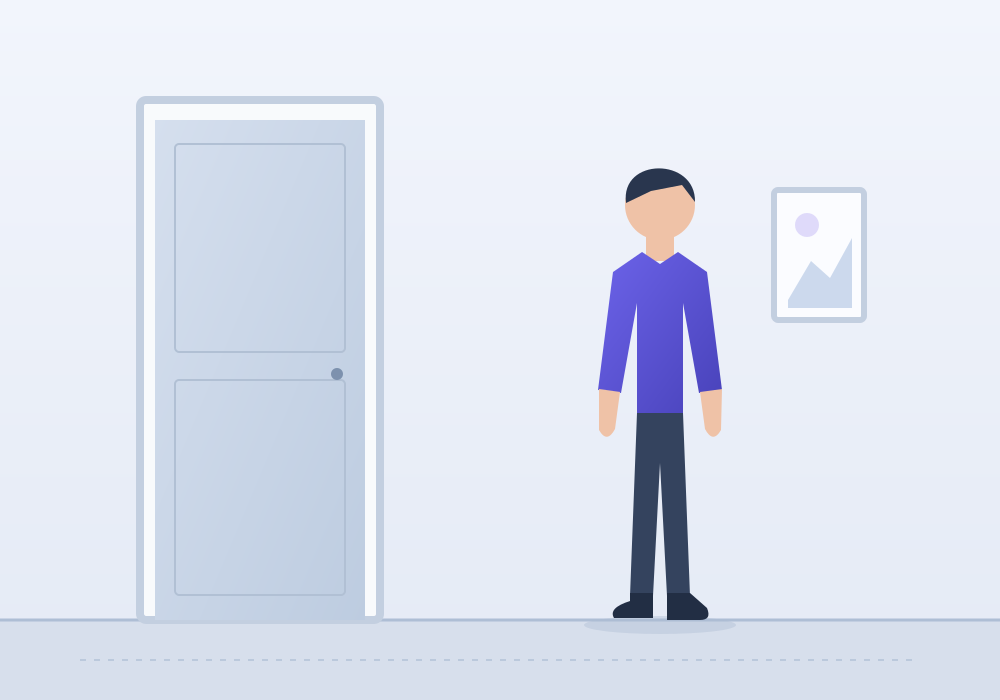
In the illustration, the blue line spans 500 original-image pixels and represents an exactly 200 cm opening. The pink line spans 450 pixels. The ratio is 450 ÷ 500 = 0.9, giving a person-height estimate of 180 cm. The dimensions are defined for the drawing; they do not establish the height of a real door.
If the photo is resized uniformly, both line lengths change by the same factor, so their ratio remains 0.9. This is why the tool calculates from original image coordinates rather than your screen size. A result of 180.0 cm is still only as reliable as the reference and photographic setup.
Read the sensitivity range correctly
The displayed range asks a narrow question: what if each of the four endpoints were displaced by up to two original-image pixels? Each line can then change length by up to four pixels. The tool combines a shorter person line with a longer reference for the lower estimate, and the reverse for the upper estimate.
This is not a statistical confidence interval and it does not include unknown perspective, lens distortion, shoes, posture or an incorrect reference length. A narrow interval can coexist with a badly biased estimate. Repeat the photograph or measure against a wall when you need a dependable height.
What happens to your photo
Your photo opens on your device, and marking, calculation and PNG export all run in the browser. The tool does not upload the image to an analysis service.
Use JPG, PNG or WebP, up to 20 MB and 60 megapixels. The tool does not restore your photo or measurements after a refresh. Download an annotated PNG if you want to keep the result. If a file will not open, try a smaller copy in a supported format.
Turn the estimate into a visual comparison
Use the result button to bring the estimate into the free 3D height comparison, then add a measured height you know. This can help with a character reference, an illustration or simply picturing the difference.
Keep the estimate labelled as approximate. A photo measurement should not be used to judge a child's growth, establish identity or replace a direct clinical measurement. For growth questions, use a measured height and an age-specific reference instead.
FAQ
Photo height questions
Can you calculate height from any picture?+
You need a full-body view, a reference with a measured length and approximately equal camera distance for the reference and person. A cropped portrait or a photo with no known scale cannot be measured with this method.
Is this an AI height detector?+
No. This tool uses the visible ratio between two marked line lengths. You control the reference and endpoints, so the calculation can be inspected and repeated.
Can a door be used as the reference?+
Yes, if you measure the actual opening or frame segment, mark the same endpoints and keep it near the person's depth plane. Do not assume all doors have a standard height.
Why does a taller person sometimes look shorter in a photo?+
A person farther from the camera appears smaller. Camera angle, posture, footwear and uneven ground can also change apparent height. Matching depth is essential for a proportional comparison.
Will changing the preview size change the result?+
No. The line lengths are calculated in original-image coordinates. Uniform resizing changes both displayed lines together and preserves their ratio.
Are my photos uploaded or stored?+
The tool opens your chosen file locally in the browser and computes the estimate there. It does not upload the image or save it as an account record.
How accurate is the displayed range?+
The range only tests moving each endpoint by up to two original-image pixels. It is not a confidence interval. Perspective, posture and a wrong reference length can cause much larger errors even if the range is narrow.
Can I use this on a phone or without dragging?+
Yes. Drag the numbered markers on a touch screen, or open the coordinate controls. On a keyboard, focus a marker and use arrows for one original-image pixel, or Shift plus arrows for ten.
Geometry and measurement references
- Criminisi, Reid & Zisserman — Single View Metrology
Background on reconstructing measurements from a single image. The simple same-plane ratio here does not implement full projective metrology.
- OpenStax — Image Formation by Lenses
Optical magnification and the relationship between image size, object size and distance.
- CDC — Measuring Children's Height and Weight
Use a direct, correctly taken height measurement when monitoring growth.